
Celestial sphere
Now on the App Store
MySky Pro
Pin your photos to the sky, solar system, and Moon
- Celestial sphere
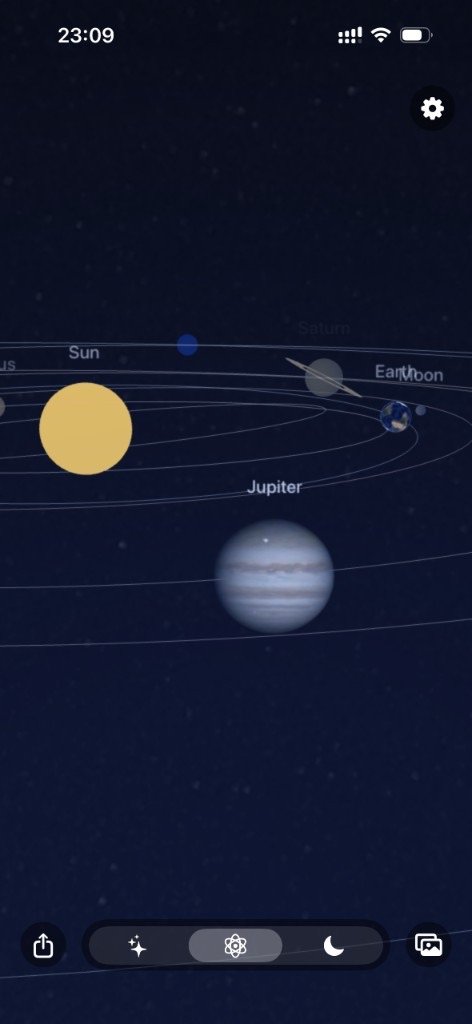
- Solar system
- Moon
- Plate solving
About
About MySky Pro
Switch among sky, solar system, and Moon scenes and pin your photos to real positions.
Rotate the sky and plate-solve deep-sky photos onto it. In the solar system, pin a photo to a planet or the Sun. On the Moon, overlay a lunar photo, then drag, pinch, and rotate. Works stay in a library on your device.
Features
Three scenes, one photo library
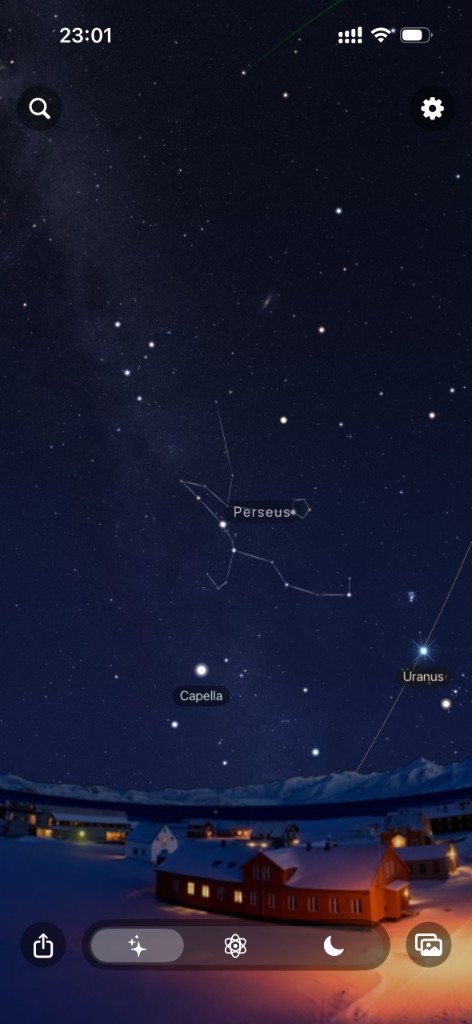
Celestial sphere
Pan the sky with Milky Way, landscape, alt/az and RA/Dec grids, the ecliptic, and constellation lines. Switch between Western and Chinese constellation systems.
Solar system
Open the orrery, watch planets in motion and auto-rotate the camera, then pin a photo to the Sun, a planet, or the Moon.
Moon
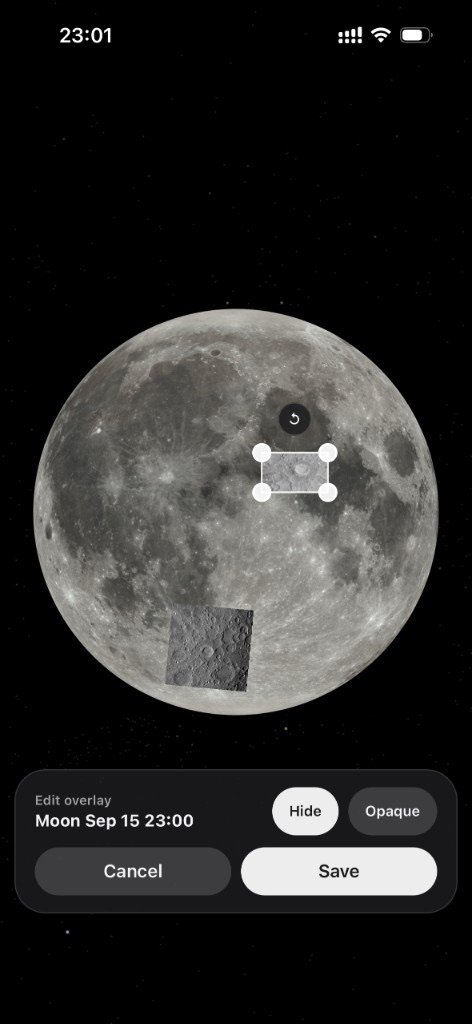
Save a lunar photo on this device, then drag, pinch, and rotate it on the Moon page to match craters and surface detail.
Plate solving
Upload a sky photo and the app solves its sky position and pins it. You can also place it manually. Check solve status in the photo library.
Photo library
Manage on-device works by sky, solar system, and Moon: preview, rename, show on the scene, or delete.
Catalog search
Search stars, constellations, and Messier objects by name or catalog ID, then jump to that place on the sky.
Interface
The app
Compare
My Sky and MySky Pro
My Sky is an offline deep-sky celestial album. MySky Pro pins photos to the sky, solar system, and Moon.
Feature
My Sky
MySky Pro
Scenes
2D celestial sphere
3D photorealistic sky, solar-system sandbox, lunar mosaic
Placement
Photo thumbnails
Photos blend into the sky
Performance
Non-WebGL engine
WebGL, higher performance
Solving
Manual placement
Astrometry online solving
Display
Sky and stars
Sky, stars, Milky Way, and landscape
How it works
Three steps
Pick a scene
Switch among sky, solar system, and Moon. Use Settings for location, layers, and constellation system.
Upload a photo
Sky photos are solved automatically. Solar-system photos start with a target and a circle crop. Moon photos are aligned on the lunar surface.
Manage in the library
Open Works to check solve status, preview, edit, or show the photo on its scene.
FAQ
Frequently asked questions
My Sky is an offline deep-sky celestial album. MySky Pro also includes solar-system and Moon scenes, plate solving, catalog search, and richer sky layers. See the comparison above.
Photos are saved on your device. Sky plate solving submits the image to a solve service; you still view the result locally.
After you upload a sky photo, the app solves its position and pins it on the celestial sphere. You can check status in the library or place it manually.
For the solar system, choose the Sun, a planet, or the Moon, then circle-crop. Moon photos are saved on device and aligned by dragging, pinching, and rotating.
The app currently offers Chinese and English. This product site is available in 10 languages.
Search stars, constellations, and Messier objects by name or catalog ID, then locate them on the sky.